Gizmo Watch 3 - Adventure - Create and Send a Text Message
Here's how to create and send a text message on your Gizmo Watch 3 - Adventure.
- The Gizmo Watch 3—Adventure can only text or call contacts set up through the GizmoHub app by designated caregivers.Text messages can only be exchanged with Guardians and Caregivers, and Gizmo buddies.
- In the caregiver's GizmoHub app, each message is time-stamped and displayed in a chat bubble (white for the caregiver and colored bubbles for the Gadget messages).
- From the Home screen, swipe left then tap the desired contact.To add contact(s), refer to Add a Contact.
- Tap theMessaging icon
.
- Do any of the following:
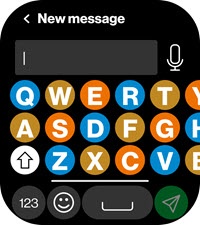
- Type and send a message using the QWERTY keyboard:
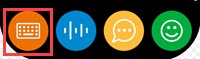
- Tap thekeyboard icon.
- Use the keyboard to type a message then tap theSend icon
.
Swipe left or right on the keyboard to use hidden keys. - Preview the message, then tap theSend iconagain to confirm and send.
- Send a message using Speak-to-Text:
- Tap theKeyboard icon.
- Tap theMicrophone icon
.
- Tap theMicrophone iconagain.
- Speak your message then tap theStop button.
- Preview the message, then tap theSend icon.
- Tap theRecord icon
to record a message.
- Tap theMessaging iconagain then select from the list of pre-written messages.