Verizon 5G Internet Gateway (LVSKIHP) Manually Connect to Wi-Fi
Verizon 5G Internet Gateway (LVSKIHP)
Manually Connect to Wi-FiSetting up the Wi-Fi client connection on your 5G Internet Gateway (LVSKIHP) lets you get your phones, laptops and smart TVs online quickly so you can start streaming and browsing.
Steps
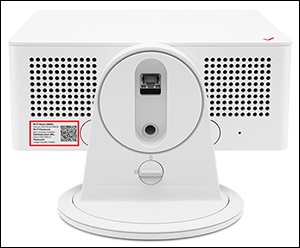
- Locate the default Network Name (SSID) and Wi-Fi / WebGUI password printed on the sticker on the bottom of the device.
- From the Wi-Fi settings menu of the device you want to connect (client device), select your router from the list of available networks then enter the router password.
- If needed, select the applicable operating system (for the client device) then follow the instructions provided (the default encryption type is WPA2):