Verizon 5G Internet Gateway (LVSKIHP) Enable / Disable a Connected Device
Verizon 5G Internet Gateway (LVSKIHP)
Enable / Disable a Connected DeviceNeed to block a device or restore access? Here is a quick guide to managing connected devices on your 5G Gateway.
Before you begin
This content is for the Verizon 5G Internet Gateway (LVSKIHP). Click here to identify your device.
Steps
- Sign in to the Admin WebGUI.
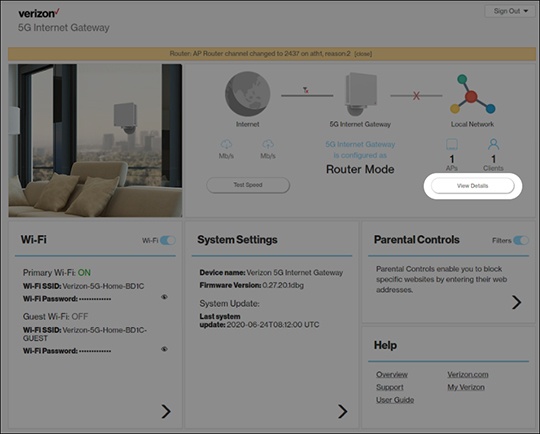
- From the Router Home screen, clickView Details.
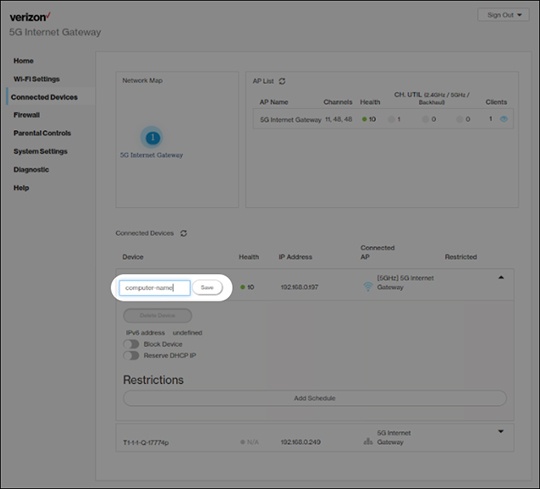
- From Connected Devices, click theDropdown iconto the right of the appropriate device.
- Click theBlock Device switchon or off.The selected device's connection is disabled when switched on.