Verizon 5G Internet Gateway (LVSKIHP) Backup / Restore Current Configuration
Verizon 5G Internet Gateway (LVSKIHP)
Backup / Restore Current ConfigurationBacking up your configuration lets you quickly restore all your custom settings (e.g., network names, passwords, etc.) if you ever need to reset or replace your 5G Internet Gateway (LVSKIHP).
Before you begin
This content is for the 5G Internet Gateway (LVSKIHP). Refer to How to Identify Verizon 5G Home Equipment if you need to verify the model you're using
Steps
- Sign in to the Admin WebGUI.
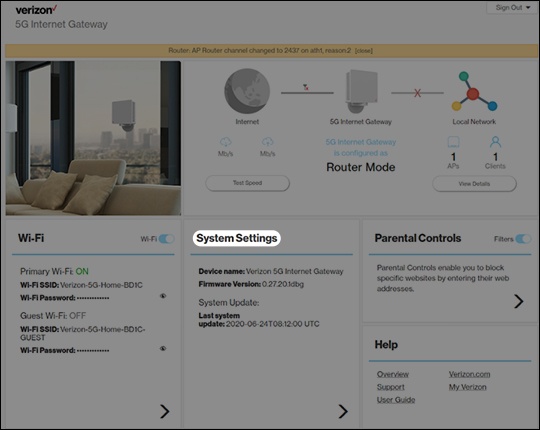
- From the Home screen, clickSystem Settings.
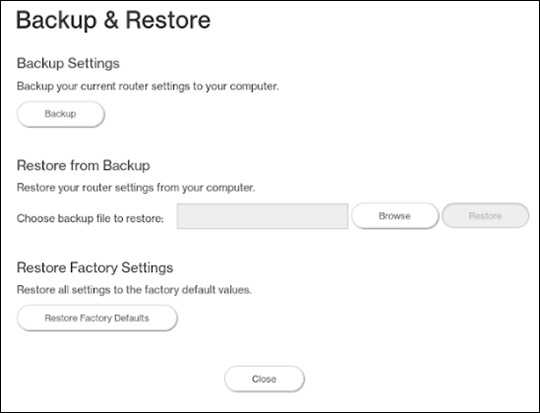
- From the General Information screen, clickBackup & Restore.
- From Backup & Restore, do one of the following:
- To backup Settings:ClickBackupthen save the file to a known location.
- To restore from Backup:
- ClickBrowse.
- Locate and select the backup file then clickRestore.