Stream TV - Pair Voice Remote
Here's how to place the Voice Remote for your 1st-generation Stream TV into pairing mode.
The steps below apply to the original Stream TV, which can be identified by the Ethernet port on the back of the device. If you have the 2nd-generation Stream TV model, refer to Stream TV - Pair Voice Remote. 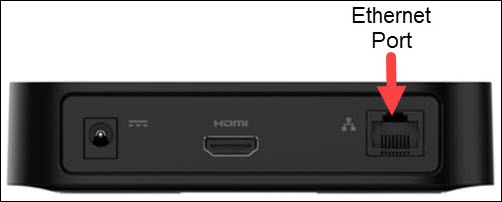
- If the 'pairing your remote' screen doesn't display, place the Stream TV in Bluetooth® discovery mode with the existing voice remote or the remote control app.
- Press and hold thecenter (OK) buttonandMenu buttonsimultaneously for 6 seconds.
- Release the buttons to enter pairing mode.A red LED will blink above the Volume Up button on the remote.
- Allow up to a minute for the process to complete.
For additional info, see this Stream TV support page.