5G MiFi® M1000 Activate / Set Up Device
5G MiFi® M1000
Activate / Set Up DeviceActivate your 5G MiFi M1000 to get started. This ensures you can connect to the internet.
Before you begin
Ensure the SIM card is inserted (may be pre-installed).
Ensure the battery is inserted and fully charged.
Steps
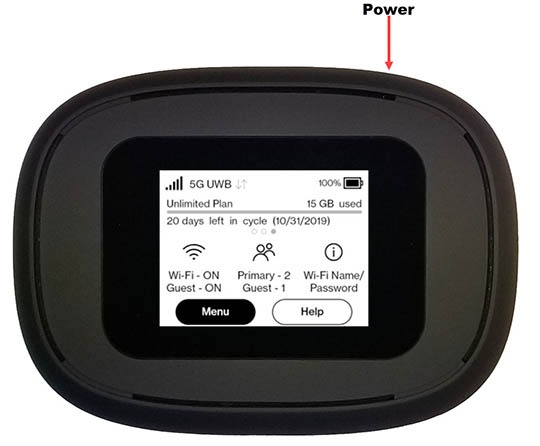
- Press and hold thePower buttonfor 3 seconds then release and wait for 'MiFi' to appear on the display.Activation is performed automatically and may take several minutes to complete.
- From the Welcome Tutorial screen, swipe left to navigate through the tutorial then tap theHome iconin the upper right when finished.
- Establish a Wi-Fi network connection between the MiFi and a device.The Wi-Fi name and password is obtained via the external LED of the device.Select the applicable operating system for assistance:
- Open a web browser.