5G MiFi M1000 - Insert / Remove Battery
Here's how to insert / remove the battery on your MiFi M1000.
Use only approved batteries and chargers with your device. The warranty doesn't cover damage caused by non-approved batteries and/or chargers.
- Ensure your MiFi® M1000 is powered off and not connected to any device or power source.
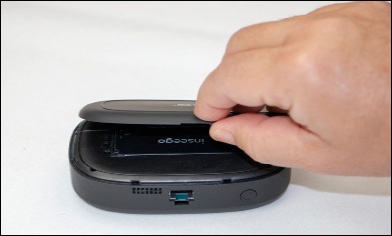
- Remove the battery cover.Using the provided notch (on the same edge as the Power button), carefully lift then detach the cover. Set the cover aside.
- Do one of the following:
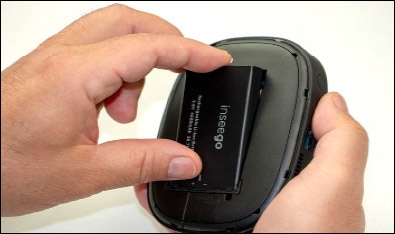
- Insert BatteryEnsure the connectors on the battery align with the connectors on the device.
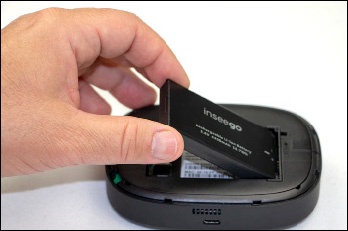
- Remove BatteryInsert your finger into the battery removal divot and lift the battery out of the battery compartment.
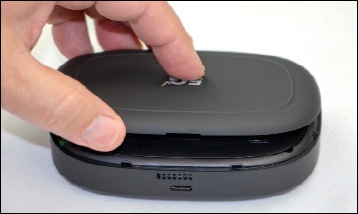
- Replace the battery cover by setting it on the device where the notches align, then press on the cover until it clicks into place and is flat across the entire bottom surface.