Configure Wi-Fi Repeater - Verizon 4G LTE Broadband Router
Here's how to manage the Wi-Fi repeating option on your Verizon 4G LTE Broadband Router.
The Wi-Fi repeating function cannot be utilized with Auto Channel and the WPA security options. For assistance with changing these settings, refer to Changing Wi-Fi Security Settings.
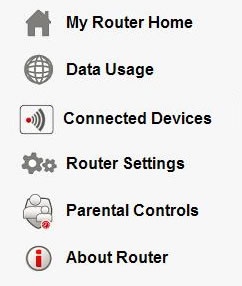
- Access the router configuration tool then clickRouter Settings(on the left).For assistance with accessing the router configuration page, refer to Accessing the Router Configuration.
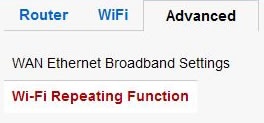
- From the Advanced tab, clickWi-Fi Repeating Function.
- Ensure theEnable Wi-Fi Repeating Function radio buttonis checked and adjust as desired then clickApply.If presented with caution notes, clickOK.
- To use as a Wi-Fi Repeater, ensure theWi-Fi Repeater radio buttonis checked then enter the repeater IP address. In this mode, the router communicates only with another Base Station-mode Wi-Fi station.If desired, ensure theDisable Wi-Fi Client Association buttonis checked then enter the Base Station MAC address.
- To use as a base station, ensure theWi-Fi Base Station radio buttonis checked. In this mode, the router becomes the master for a group of Repeater mode Wi-Fi stations.If desired, ensure theDisable Wi-Fi Client Association buttonis checked then enter the Repeater MAC address(s).
- ClickOK.