TCL 50 XL NXTPAPER 5G Insert / Remove SIM Card
TCL 50 XL NXTPAPER 5G
Insert / Remove SIM CardIf your TCL 50 XL NXTPAPER 5G is low on storage, use an SD card for extra space. Follow these steps to insert or remove it without losing data.
Before you begin
Don't try to insert or remove the SIM card while the device is powered on. Doing so may harm the SIM card and/or the device.
Steps
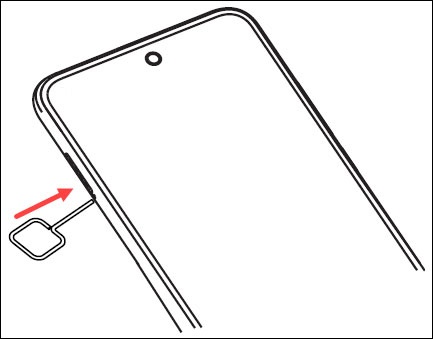
- From the left side of the device (display facing up), remove the card tray.
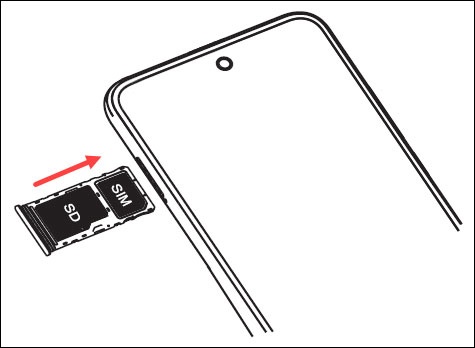
- Do one of the following:
- Insert SIM card
- Remove SIM card