Verizon Connected Vehicle app - Update Payment Details
Here's how to update the payment info for your prepaid Connected Car Wi-Fi service via the Connected Vehicle App.
Update Payment Details is only available for Connected Car customers on a prepaid customers.
- Open theConnected Vehicle App.
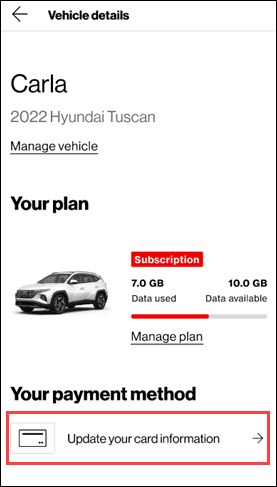
- Tap a vehicle to view details.
- From the 'Your payment method' section, tapUpdate your card information.
- Enter the new card details and billing address then tapUpdate card information.
- From the 'Your card was updated successfully' screen, tapDoneto confirm.