Verizon Receiver (LV65) Restore Settings to Factory Defaults
Verizon Receiver (LV65)
Restore Settings to Factory DefaultsReset your Verizon Receiver (LV65) to factory settings as a final troubleshooting step.
Before you begin
A reset to factory default deletes all changes made to the configuration and connected clients (e.g., Network Name (SSID), Wi-Fi/Admin Password, etc.) need to reconnect.
Steps
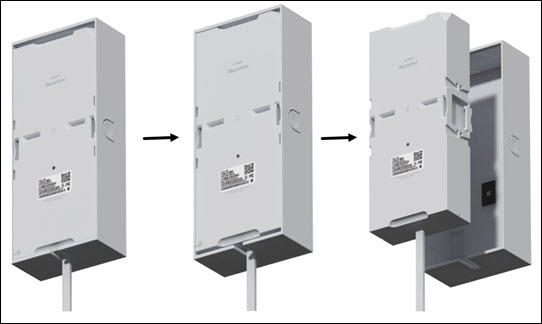
- Remove the receiver’s cover. Use the open notch by the cable to push the receiver until the cover unlocks.Watch this video for a demo.
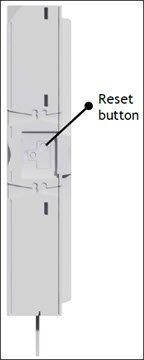
- Locate the 'Reset button' on the right side of the receiver.
- Press and hold theReset buttonfor 10 seconds with the Gateway powered on.