TCL LINKZONE 5G UW - View Data Usage
Here's how to see how much data your LINKZONE 5G UW has used.
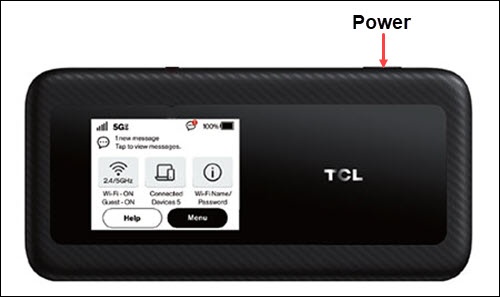
- From the Home screen, tapMenu(lower-right).If necessary, press thePower button(top-right edge) to turn on the display.
- TapData Usage.
- View data usage.
You can also view data usage via the Admin Web Interface by clicking the  located in the Network Settings section then clicking
Navigation arrow
located in the Network Settings section then clicking Data Usage
(left pane).