TCL LINKZONE 5G UW - View Connected Devices
Here's how to view info for devices connected to your LINKZONE 5G UW.
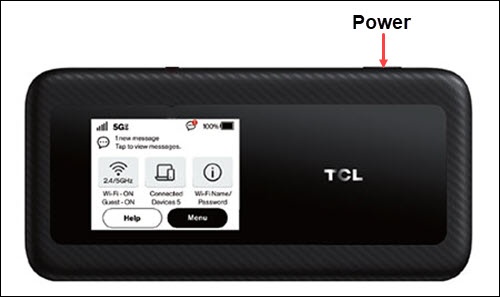
- From the Home screen, tapMenu(lower-right).If necessary, press thePower button(top-right edge) to turn on the display.
- TapConnected Devices.
- Tap the desired connected device.
- View the following info:
- Device Name
- Type
- IP Address
- MAC Address
You can also view connected devices via the Admin Web Interface by clicking the  located in the Connected Devices section.
Navigation arrow
located in the Connected Devices section.