TCL LINKZONE 5G UW - Battery Power Management Settings
Here's how to configure display, sleep and power-down options for your Linkzone 5G UW.
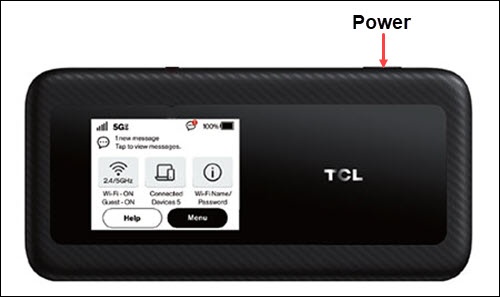
- From the Home screen, tapMenu(lower-right).If necessary, press thePower button(top-right edge) to turn on the display.
- TapSettings.
- TapScreen Timeout.
- Select the desired setting (e.g., 30 seconds, 1 minute, 5 minutes, etc.).Selected when a dot is present.
- Tap theBack icon
(upper-left) to return to the previous screen.
- TapSleep Mode.
- Select the desired setting (e.g., After 5 minutes, After 10 minutes, etc.).Selected when a dot is present.