Inseego MiFi X PRO 5G UW - Delete Messages
Here's how to delete text messages from your Inseego MiFi X PRO 5G UW.
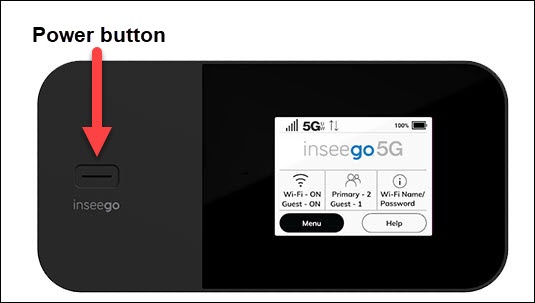
- From the Home screen on your Inseego MiFi® X PRO 5G UW, tapMenu(lower-left).If necessary, press thePower buttonto turn on the display.
- TapMessages.
- If necessary, swipe left or right to cycle through messages.
- TapDelete.
- TapDeleteagain to confirm.Repeat steps as necessary to delete additional messages.
You can also delete messages via the Admin Web Interface by doing the following:
- Click theArrow icon(next to Sign In / Sign Out).
- ClickMessagesthen select (check) the messages you want to delete.
- ClickDelete.