TCL 30 LE - Insert or Remove SD / Memory Card
Here's how to insert or remove an SD / memory card for your TCL 30 LE.
The TCL 30 LE supports microSD memory cards which can be purchased from any Verizon store or online.
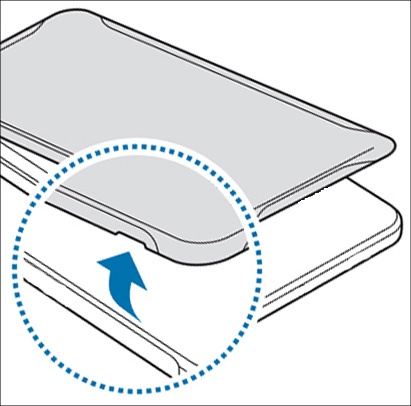
- Remove the battery cover.With the device facing down, use the provided slot (on the right edge, near the bottom) to lift then detach the cover.The image below is an example.
- Do one of the following:
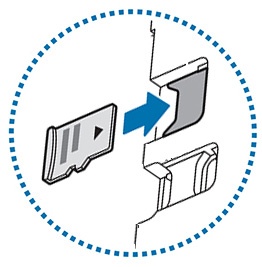
- Insert the SD card with the gold contacts facing down.The SD card slot is located above the SIM card slot. The SIM card must be inserted first.
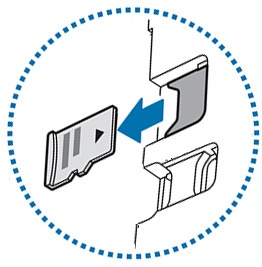
- Remove the SD card.If necessary, gently pull to remove the SD / memory card.
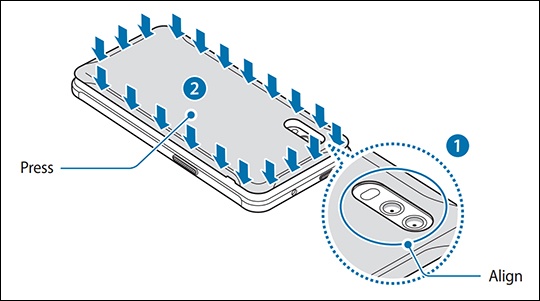
- Replace the battery cover, making sure to align it properly using the camera slot.Press down around the edges of the cover to lock it into place.Ensure the back cover is closed tightly to prevent water and dust from entering the device.The image below is an example.