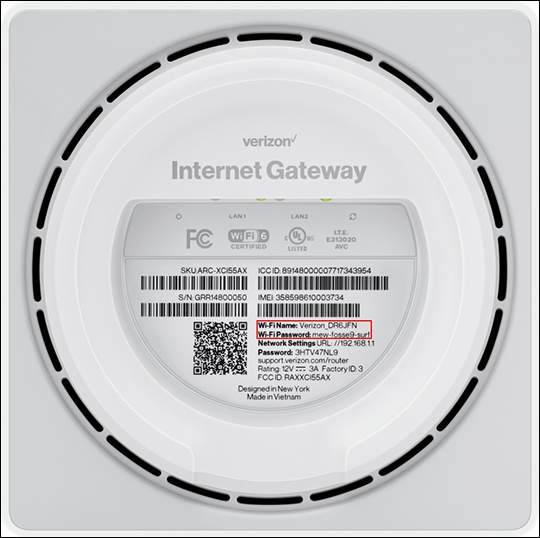
Verizon Internet Gateway View Network Name and Password
Verizon Internet Gateway
View Network Name and PasswordFollow these steps to find the Wi-Fi network name (SSID) and password for your Internet Gateway so you can share your internet connection with other devices.
Before you begin
This content is for the following Internet Gateway models:
- ASK-NCQ1338
- ASK-NCQ1338FA
- ARC-XCI55AX
If you're unsure of the device model, refer to How to Identify Verizon 5G Home Equipment.
View via Admin Page
- Access the router admin page.
- From the Wi-Fi section, view the 'Wi-Fi name' or 'Wi-Fi password'.For more detailed info, and to change the Wi-Fi name or password, click theWi-Filink.
View via Device
- Place the router face down on a flat surface.
- From the bottom of the router, view the default 'W-Fi Name' or 'Wi-Fi Password' on the label.