Verizon Internet Gateway View Device ID
Verizon Internet Gateway
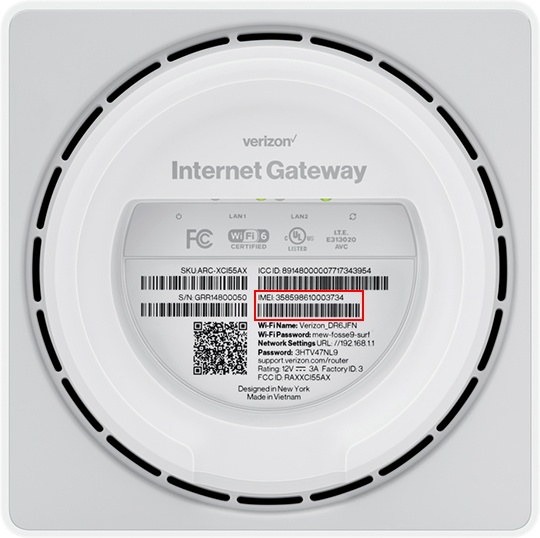
View Device IDThe device ID (IMEI) is a unique identifier for your Internet Gateway. This info is essential when troubleshooting certain issues or activating a device on your account.
Before you begin
This content is for the following Internet Gateway models:
- ASK-NCQ1338
- ASK-NCQ1338FA
- ARC-XCI55AX
If you're unsure of the device model, refer to How to Identify Verizon 5G Home Equipment.
Via Admin Page
- Access the router admin page then clickStatus.The Status page can also be accessed from the left menu by navigating: .
- Scroll down to the 'Modem' section, then view the IMEI (Device ID).
Via Device
- The IMEI can be found on a label on the bottom of the router.