Orbic Speed 5G - Configure Broadcast Settings
Here's how to check settings if you're having issues connecting to the Mobile Hotspot on your Orbic Speed 5G.
If you are experiencing connectivity issues with your Orbic® Speed 5G™ or your device isn't found, check out the steps below.
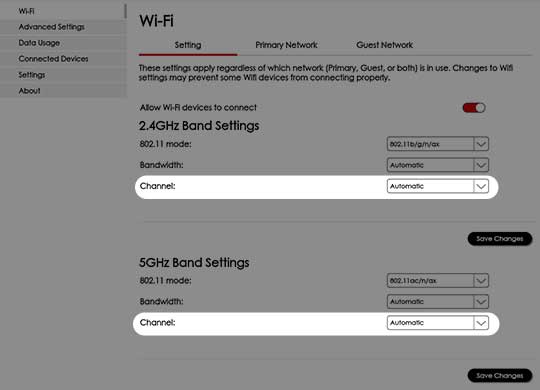
To avoid interference with other Wi-Fi networks, try using non-overlapping channels (i.e., 1, 6, or 11).
- Access the Admin Web Interface.
- From the top menu, clickConfiguration.
- From the left menu, navigate: .
- From either the 'Wi-Fi 2.4GHz' or 'Wi-Fi 5GHz' section, adjust the Wi-Fi Channel as desired then clickSave Changes.
- Automatic (default setting) is recommended.
- Select an alternate channel (e.g., 1-11).