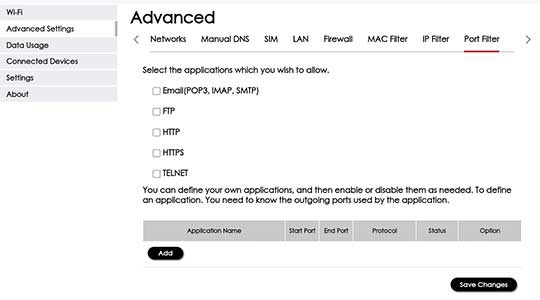
Orbic Speed 5G - Port Filtering
Here's how to block access to services or apps on your Orbic Speed 5G.
- Changing advanced settings may be harmful to the stability, performance and security of your Verizon Orbic® Speed 5G™ Contact your local IT administrator prior to altering any of these settings.
- Port Filtering is an advanced setting. For additional assistance, contact your IT support. To obtain settings, contact the app manufacturer.
- Access the Admin Web Interface.
- From the top menu, clickConfiguration.
- From the left menu, navigate: .
- Tap thedropdown menunext to Port Filter then selectEnable.
- ClickSave Changes.
- From the 'Confirm' prompt, tapOKto confirm.
- Once Port Filter has been enabled, navigate:
- Configure as desired then clickSave Changes.