Orbic Speed 5G - View Device ID
Here's how to find the device ID (IMEI) for your Orbic Speed 5G.
Via Device Label
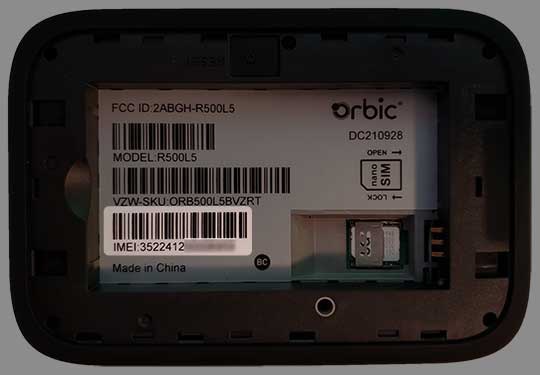
- Remove the battery then view the IMEI on the sticker below the bar code.
Via Device Display
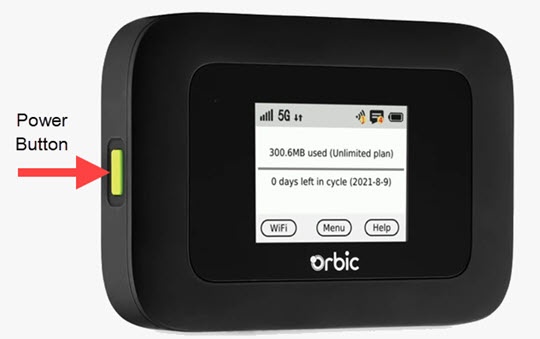
- Press thePower buttonto turn on the display.
- TapMenu(on the device screen).
- From the 'Menu' screen, swipe the screen to the left or right to view the additional menu options and tapAbout Hotspot.
- View the Device ID (IMEI).If applicable, swipe the screen to the left or right to view additional device details.
Via Admin Web Interface
- Access the Admin Web Interface.
- From the top menu, clickConfiguration.
- From the left menu, navigate: .
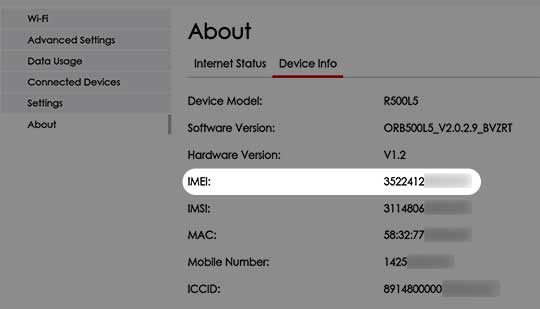
- View the IMEI (Device ID).