Session status messages
Session Status

Due to inactivity, your session will end in approximately 2 minutes. Extend your session by clicking OK below.

Due to inactivity, your session has expired. Please sign in again to continue.

TCL TAB Pro 5G - Unlock Screen

2026-10-15 11:12:16.668

TCL TAB Pro 5G - Unlock Screen

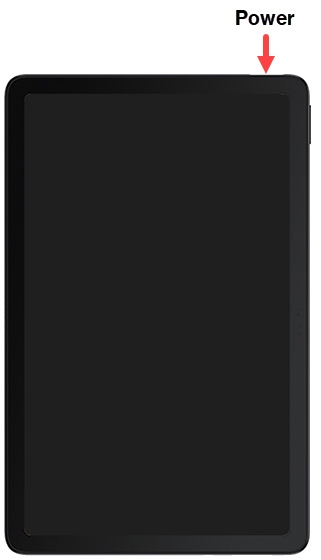
Here's how to unlock the screen on your TAB Pro 5G.
  1. Press the
    Power button
    .
    Power button
  2. Depending upon the screen lock type, do one of the following:
    • Swipe up from the center of the screen.
    • Draw the current unlock pattern.
    • Enter the current PIN or password.
    • Scan your face or fingerprint.