TCL FLIP Pro - Language Selection
Here's how to change the language on your FLIP Pro.
English to Español
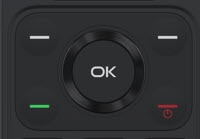
- From the main screen, selectMenu.Utilize the 5-way navigation pad to highlight and the OK button to select.
- SelectSettings.
- From the 'Personalization' section, selectLanguage.
- SelectEspañol.
Español to English
- From the main screen, selectMenu.Utilize the 5-way navigation pad to highlight and the OK button to select.
- SelectAjustes.
- SelectIdioma.
- SelectEnglish.