Session status messages
Session Status

Due to inactivity, your session will end in approximately 2 minutes. Extend your session by clicking OK below.

Due to inactivity, your session has expired. Please sign in again to continue.

Fossil Gen 5 LTE Smartwatch - Update Apps

2026-10-15 12:26:17.375

Fossil Gen 5 LTE Smartwatch - Update Apps

Here's how to manually update apps on your Fossil Gen 5 LTE Smartwatch.
From your Android™ smartphone, ensure the Wear OS by Google™ app is installed and updated.
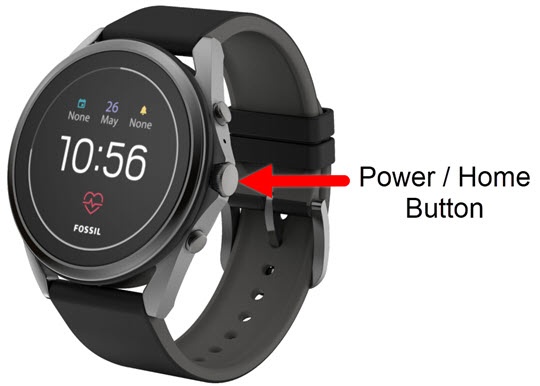
  1. From the watch screen, press the
    Power /
    Home button
    to open the apps screen.
    Home button
  2. Tap
    Play Store
    .
  3. Tap
    My Apps
    , then do one of the following:
    • Tap
      Update all
      to process all app updates.
    • Select an app, then tap
      Update
      .
  4. To automatically update apps:
    1. From the Play Store screen, tap
      Settings
      .
    2. Tap
      Auto-update apps
      to turn on Switch on or off Switch off.