Stream TV - Check Device Storage
If your 2nd-generation Stream TV is running low on storage, it can cause crashes, slow performance, freezing apps, etc. Check your available memory to prevent these issues.
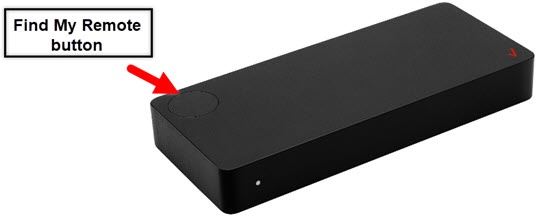
- The steps below apply to the 2nd-generation Stream TV which can be identified by the Find My Remote button. If you have the original Stream TV model, refer to Stream TV - Check Device Storage.
- For additional info on Stream TV, check out the Stream TV support page.
- If necessary, press theHome buttonon your Stream TV remote to wake up your device.
- From the Stream TV Home screen, select theSettings menu.Utilize 5-way navigation pad on the remote to highlight and the center (OK) button to select.
- Navigate: .
- SelectInternal shared storage.
- View free space in the Available section.If the device memory is full, clear app cache or uninstall apps from the device.