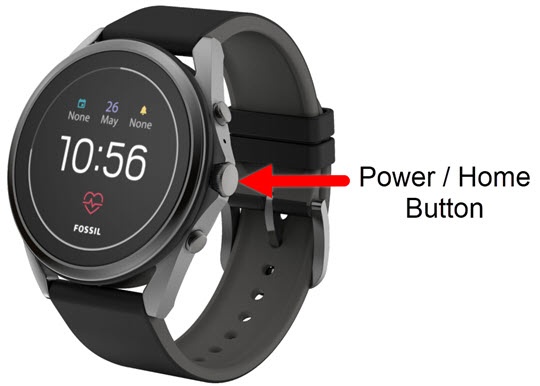
Fossil Gen 5 LTE Smartwatch - Disable / Enable App
Some pre-installed apps on your Fossil Gen 5 LTE Smartwatch are mainstays that can’t be removed. Disabling an app can prevent it from running, while enabling it can return functionality.
- From the watch screen, press thePower / Home buttonto open the apps screen.
- Navigate: .
- Locate then select the applicable app.If not listed, tapSystem Apps.
- Do one of the following:
- Disable AppsDisabling an app may cause related apps to function improperly.
- TapDisable.
- Tap theDone iconto confirm.
- Enable Apps
- TapEnable.
- Tap theDone icon
to confirm.