Fossil Gen 5 LTE Smartwatch - Check Device Storage
If your Fossil Gen 5 LTE Smartwatch is running low on storage, it can cause crashes, slow performance, freezing apps, etc. Check your available memory to prevent these issues.
Ensure the software software is up to date on your Fossil Gen 5 LTE Smartwatch as the steps below apply to the most recent version.
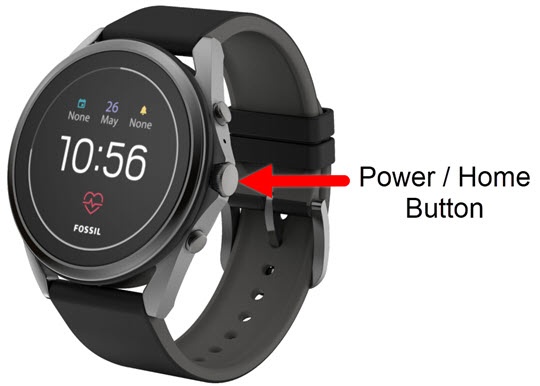
- From the watch screen, press thePower / Home buttonto open the apps screen.
- Tap theSettings icon
.
- TapStorage.
- View the Apps storage.Total watch storage used can be viewed through the Wear OS app:
- Open the Wear OS app on the smartphone.
- TapAdvanced settings.
- TapWatch storage.
- View total watch storage available.If the device memory is full, unused apps may be removed from the watch to free up storage.