Fossil Gen 5 LTE Smartwatch - Add an Existing Google Account
Adding a Google™ (Gmail™) account to your Fossil Gen 5 LTE Smartwatch lets you access email, apps, and services, as well as sync your data across multiple devices.
- Email accounts are managed through the Android™ smartphone, not from the watch.
- To perform the steps below, you'll need to:
- ensure the Wear OS app is installed and updated on your Android smartphone.
- ensure Bluetooth® is enabled on the watch and smartphone.
- keep the watch near your smartphone throughout the entire process.
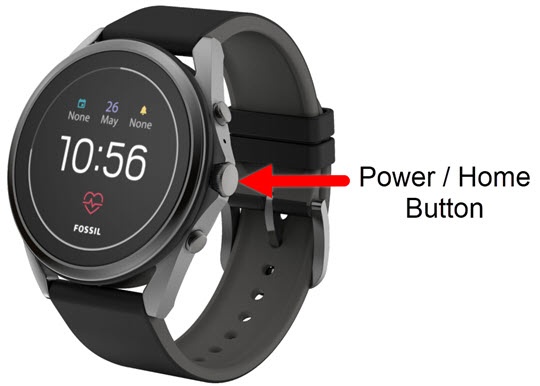
- From the watch screen, press thePower /Home buttonto open the apps screen.
- Tap theSettings icon
.
- Navigate: .
- From the 'To add a Google...' screen, tapAdd from phone.
- From the 'Accounts' screen on the smartphone do one of the following:
- Tap the email account you want to add.
- TapAdd another account, to add a new Google account.
- Tap the switch to the right of the email to turn on to copy to the watch.
- From the 'Copy to your watch?' screen, tapCopy.If prompted, enter your password then tapSIGN IN.