Verizon Orbic Speed - Install Firmware Upgrade
Here's how to check for and install software updates for your Orbic Speed.
View this info to check if there's a software update available for your Orbic® Speed™.
Via Device
- Press thePower buttonon the front of the device to display the main screen.
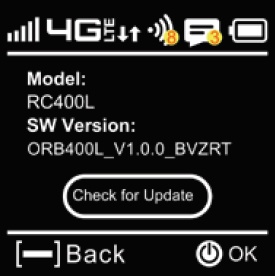
- Press theMenu button(upper-right) until the 'Software Update' section displays then press thePower button.
- To check for updates, press thePower buttonthen follow the prompts to install the firmware update.
Via Admin Web Interface
- Sign in to the Admin Web Interface.
- From the top menu, clickSettings.
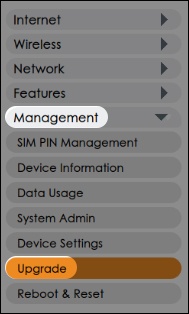
- From the left menu, click .
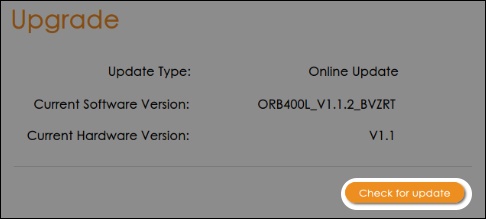
- SelectCheck for updatefor software or firmware updates.
- If an update is available, follow the on-screen instructions to apply the update.