Verizon Orbic Speed - Restore Settings to Factory Defaults
If your Orbic Speed powers off, crashes/resets, freezes or runs slow, view this info.
Restore Settings to Factory Defaults on your Orbic® Speed™ only if absolutely necessary as it removes all modified settings including Network Name (SSID), Wi-Fi / admin password, etc.
Via Device
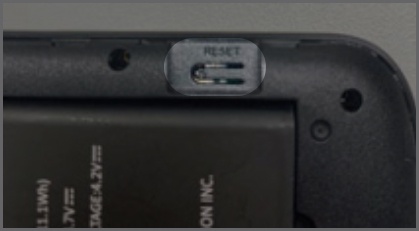
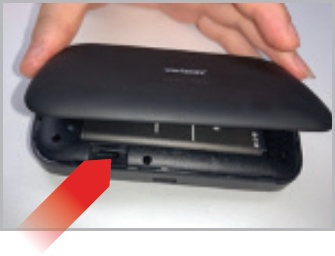
The Master Reset button is in a small hole located on the bottom of the device, underneath the battery cover. Pressing this button returns the device to factory settings.
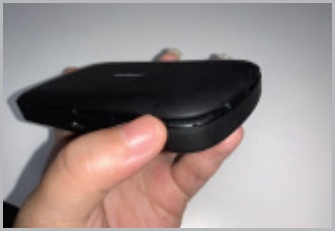
- Remove the battery cover.Insert your fingers into the battery removal groove at the top edge of the battery cover then lift and remove the battery cover. Set the cover aside.
- With the device powered on, locate the Reset button.
- Press and hold theReset buttonwith your finger or use the tip of a pencil or pen.Hold down for approximately 5 seconds or until the display shows 'Resetting'.
- Replace the battery cover.Ensure the notches align then press on the cover until it clicks into place and is flat across the entire bottom surface.
Via Admin Web Interface
- Access the Admin Web Interface.
- From the top menu, clickSettings.
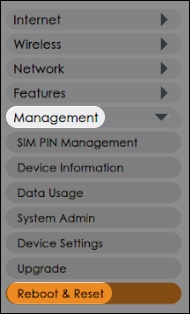
- From the left menu, clickManagement>Reboot&Reset.
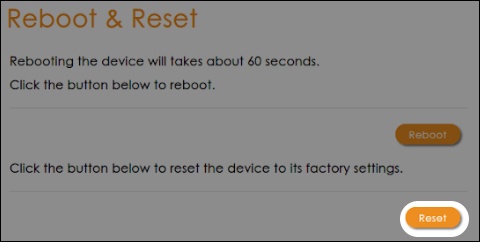
- From the 'Reboot & Reset' screen, clickResetthen follow the prompts.