Verizon Orbic Speed - WLAN Settings
Here's how to view and configure WLAN settings for your Orbic Speed.
View this info to configure advanced LAN settings (e.g., Status, Wi-Fi Name, Security Mode, etc.) for your Orbic® Speed™
Changing advanced settings may be harmful to the stability, performance and security of the Jetpack. Contact your local IT administrator prior to altering any of these settings.
- Sign in to the Admin Web Interface.
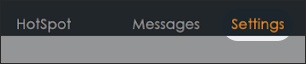
- From the top menu, clickSettings.
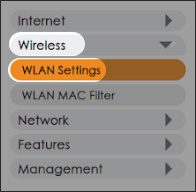
- From the left menu, clickWireless>WLAN Settings.
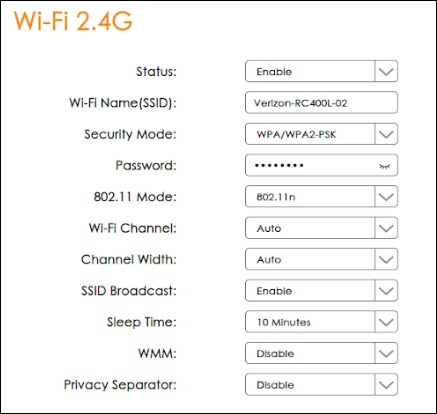
- From either the 'Wi-Fi 2.4G' or 'Wi-Fi 5G' section, configure the following fields as designed then clickApply:
- Status
- Wi-Fi Name (SSID)
- Security Mode
- Password
- 802.11 Mode
- Wi-Fi Channel
- Channel Width
- SSID Broadcast
- Sleep Time
- WMM
- Privacy Separator