Samsung Galaxy Watch3 - Adjust Volume
Here's how to manage volume controls if your Galaxy Watch3 doesn't vibrate or make sounds when receiving calls, texts or emails.
From your Android or Apple iPhone, ensure your Galaxy Watch3 software is up to date as the steps below apply to the most recent version.
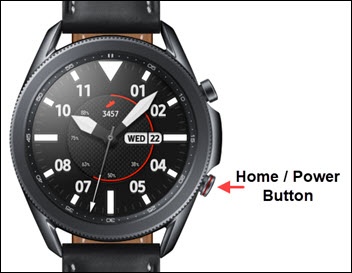
- From the watch screen, press theHome buttonto open the apps screen.
- Tap theSettings icon.
- Navigate: .
- Tap one of the following:
- Ringtone
- Media
- Notifications
- System
- Bixby Voice
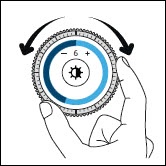
- Adjust the volume by turning the bezel to the desired level.
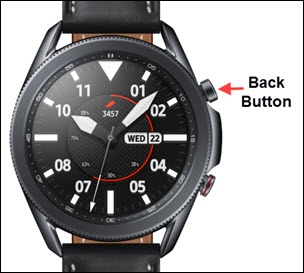
- Press theBack buttonto return to the previous screen.