Samsung Galaxy Watch3 - View Software Version
Here's how to view the software version your Galaxy Watch3 is running.
Check the Software Updates page to see if your device's most recent software version is listed.
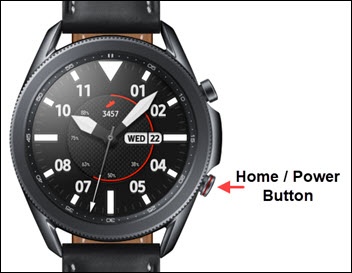
- From the watch screen, press theHome buttonto open the apps screen.
- Tap theSettings icon
.
- TapAbout watch.
- TapSoftware.
- View the 'Software version'.To verify the device has the latest software version, refer to Install System Updates.