Samsung Galaxy Watch3 - View Device ID
Here's how to find the device ID (IMEI) for your Galaxy Watch3.
From your Android smartphone or Apple iPhone, ensure your Galaxy Watch3 software is up to date as the steps below apply to the most recent version.
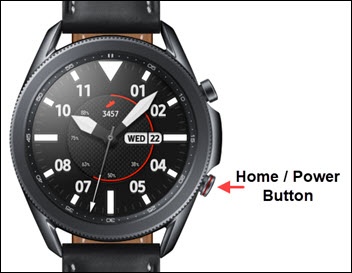
- From the watch screen, press theHome buttonto open the apps screen.
- Tap theSettings icon.
- TapAbout Watch.
- View the IMEI.If the IMEI can't be viewed from the device, refer to View Device Info - Verizon Website (if applicable).