5G MiFi® M1000 - Manage Alerts / Notifications
Here's how to turn audio alerts (e.g., Low battery, USB mode etc.) for your 5G MiFi M1000 on or off.
To turn audio alerts (e.g., low battery, charging complete, etc.) on or off, view this info.
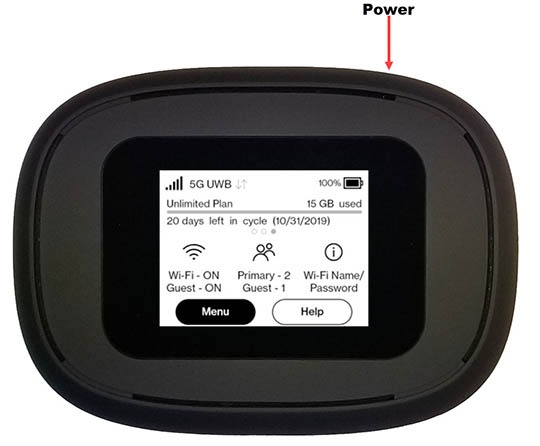
- From the Home screen, tapMenu(lower-left).If necessary, press thePower button(top-right edge) to turn on the display.
- TapSettings.
- TapAudio Alerts.
- Tap the switch for any of the following to turn on
or off
:
- All Audio Alerts
- Startup/Shutdown
- Low battery
- Critical low battery
- Charging Jetpack
- External charging
- USB mode
- MiFi Share
- SIM status
- New message
- Device connected
- Software update
- Roaming
- Wi-Fi off
- Network selection
- Service notifications
You can also manage audio alerts info via the Admin Web Interface by navigating
Settings
> Preferences
> Notifications
.