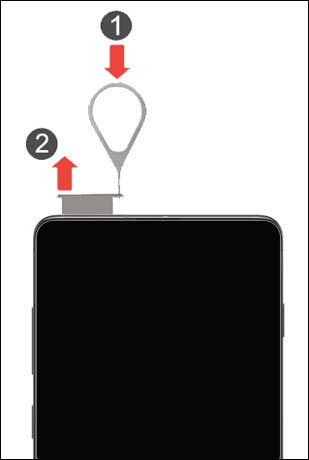
Samsung Galaxy S10 5G Insert / Remove SIM Card
Samsung Galaxy S10 5G
Insert / Remove SIM Card Switching to a new device, traveling or troubleshooting a connectivity issue? Learn how to quickly and easily insert or remove the SIM card for your Galaxy S10 5G.
Before you begin
Don't try to insert or remove the SIM card while the device is powered on because it may harm the SIM card or the device.
Steps
- From the top edge of the device with the screen facing up, remove the card tray.
- Do one of the following:
- To insert SIM card: Ensure the gold contacts are facing down then press in on the card to lock into place.
- To remove SIM card: With the tray removed, lift the SIM card from the tray.
- Re-insert the card tray.