Verizon Jetpack MiFi 8800L - Insert / Remove Battery
Here's how to insert / remove the battery for your MiFi 8800L.
- Ensure your Verizon Jetpack® MiFi® 8800L is powered off.
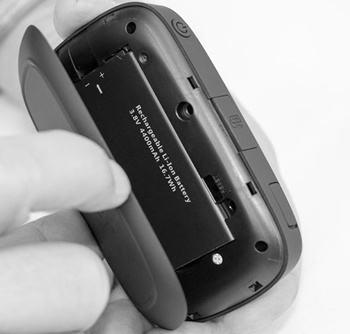
- Remove the battery cover.Using the provided notch (on the same edge as the Power button), carefully lift then detach the cover.
- Do one of the following:
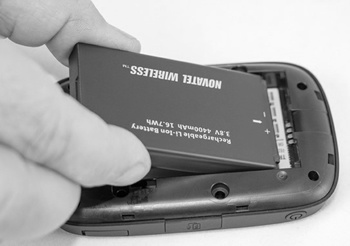
- Insert batteryEnsure the connectors on the battery align with the connectors on the device.
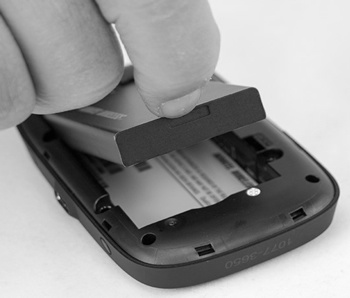
- Remove batteryUsing the notch, lift then remove the battery.
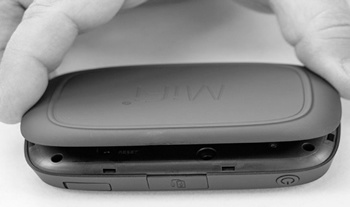
- Replace the battery cover.