GizmoHub App - Create an Account
Here's how to create an account via the GizmoHub app.
Check out the GizmoHub FAQ page for more info.
Personal email address
- Open theGizmoHub app.
- From the 'Get started' screen, tapCreate an Account.
- TapPersonal email address.
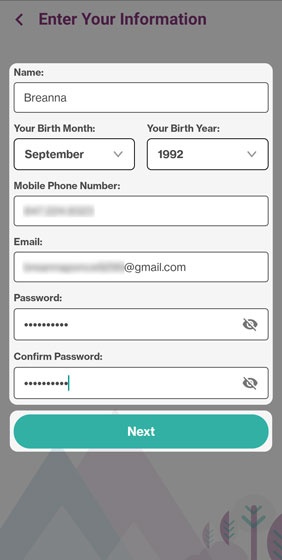
- Enter your personal info and password then tapNext.Don't use the Gizmo phone number.
- Review the Gizmo Privacy Policy then tapContinue.
- Enter the verification code received via email then tapSubmit.
Sign in with Apple
- Open theGizmoHub app.
- From the 'Get started' screen, tapCreate an Account.
- TapSign in with Apple.
- TapContinue with Password, enter your Apple ID password then tapContinue.
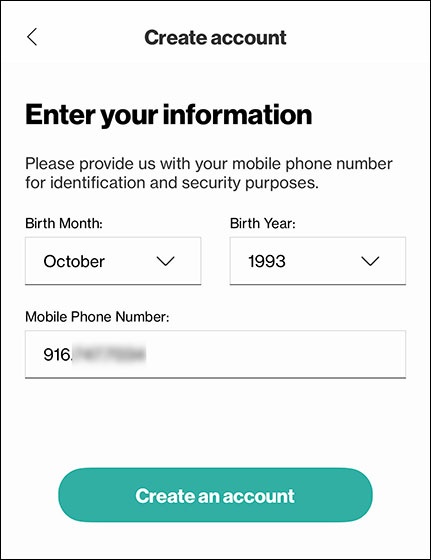
- Enter your info (e.g., Birth Month, Birth Year, Mobile Phone Number) then tapCreate an account.Don't use the Gizmo phone number.
- Review the Gizmo Privacy Policy then tapContinue.
- Enter the verification code received via email then tapSubmit.
Sign in with Google
Don't use the Gizmo phone number.
- Open theGizmoHub app.
- From the 'Get started' screen, tapCreate an Account.
- TapSign in with Google.
- Tap your Google account then enter your password.If you want to use a different Google account, tapUse another account.
- Review the Gizmo Privacy Policy then tapContinue.
- Enter the verification code received via email then tapSubmit.