Session status messages
Session Status

Due to inactivity, your session will end in approximately 2 minutes. Extend your session by clicking OK below.

Due to inactivity, your session has expired. Please sign in again to continue.

Export Contacts - Enterprise Messaging (EMAG)

2026-10-15 04:18:53.291

Export Contacts - Enterprise Messaging (EMAG)

Here's how to export EMAG contacts.
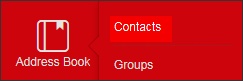
  1. From the left navigation menu hover over 'Address Book' then click
    Contacts
    .
    To view the navigation menu, click the
    red tab
    dotted tab.
    Click Contacts
  2. From the address book screen, click
    Export Contacts
    (located in the middle).
    click Export contact
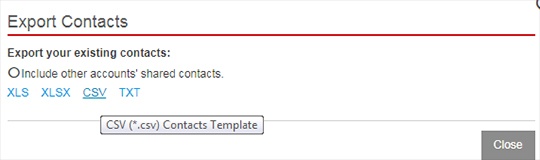
  3. Select the appropriate file type then click
    Export
    .
    Export contacts file type