Change the Wi-Fi Password - Verizon 4G LTE Broadband Router
Here's to change the password needed to connect to Wi-Fi on your 4G LTE Broadband Router.
If you want to change the password needed to connect to your Verizon 4G LTE Broadband Router's Wi-Fi network, view this info.
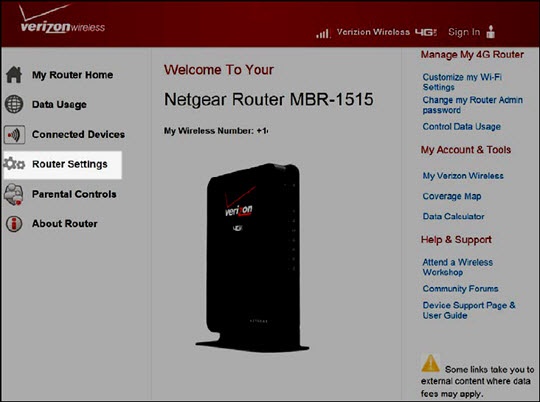
- Sign in to the Admin Web Interface.
- ClickRouter Settings.
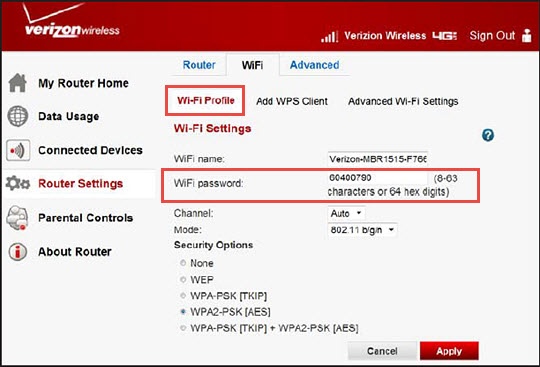
- From the Wi-Fi tab, click theWi-Fi Profile tab.
- From the Wi-Fi password text entry field, enter a new password.Password needs to be between 8-63 characters.
- Click theApply button(lower-right).