Session status messages
Session Status

Due to inactivity, your session will end in approximately 2 minutes. Extend your session by clicking OK below.

Due to inactivity, your session has expired. Please sign in again to continue.

Push to Talk Plus - Kyocera DuraXV LTE - Set Presence

2026-10-15 06:10:04.158

Push to Talk Plus - Kyocera DuraXV LTE - Set Presence

Here's how to change your Push to Talk Plus presence status on your DuraXV LTE.
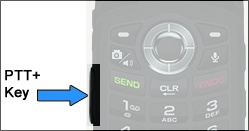
  1. Press the
    PTT+ key
    (located on the left side of the phone).
    5-way Navigation Pad
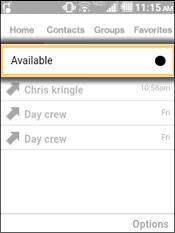
  2. From the Home tab, select your status (e.g. Available, Do Not Disturb, etc.).
    Select the Presence Status
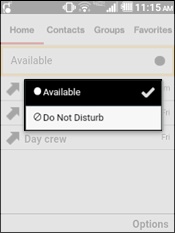
  3. Select an option.
    Selected when a check mark is present.
    • Available
    • Do Not Disturb
    Select an Option