Push to Talk Plus - Kyocera DuraXV LTE - Add a Contact
Here's how to add a contact for Push To Talk Plus on your DuraXV LTE.
The corporate administrator has the ability to restrict the creation of personal contacts. Please contact the administrator for more info.
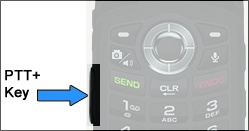
- Press thePTT+ key(located on the left side of the phone).
- From the Contacts tab, press theright soft keyto choose Options.
- SelectNew Contact.Utilize the 5-way navigation pad to highlight and the center button to select
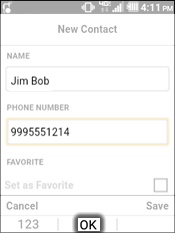
- Enter the Name of the contact, phone number then selectOK.
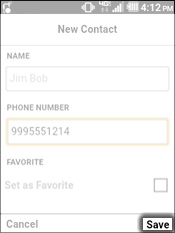
- Press theleft soft keyto choose Save.