Kyocera DuraXV LTE - Text Message Signature
To add, remove or edit the text message signature on your DuraXV LTE, view this info.
- From the main screen, selectMenu.Utilize the 5-way navigation pad to highlight and the center button to select.
- SelectMessage.
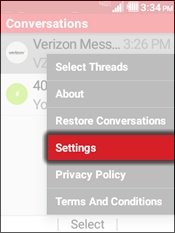
- Press theright soft keyto choose Options.
- SelectSettings.
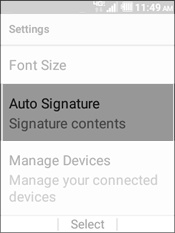
- SelectAuto Signature.
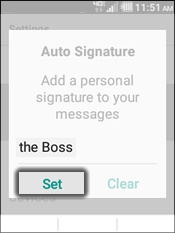
- To enable an auto signature, enter a signature then selectSet.A signature is automatically attached to each sent text message when this setting is selected.
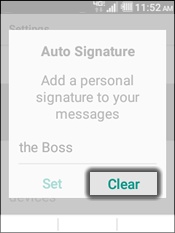
- To disable an auto signature, selectClear.