Samsung Gear S3 frontier / Gear S3 classic - Charge the Device
Here's how to charge the battery of your Gear S3 frontier / Gear S3 classic.
Only use approved chargers with your watch. Use of incompatible chargers may damage it.
- It's recommended to fully charge the watch prior to turning it on.
- For additional info and a Gear S3 simulator, visit the Samsung support site.
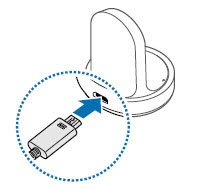
- Connect the USB cable to the USB power adapter then plug the adapter into a wall outlet.
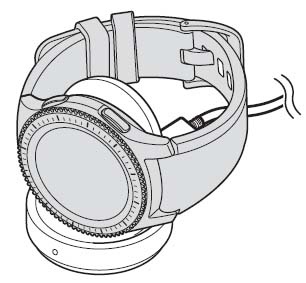
- Place the Gear S3 onto the wireless charger dock.
LED Status
- Red → Green → Orange: Standby mode
- Red: Charging
- Green: Fully charged
- Orange: Connected to a low-power adaptorFor best results, use the Samsung adaptor plug provided with the unit.