View Opt Out Report - Enterprise Messaging (EMAG)
Here's how to view opt out reports for Enterprise Messaging.
- Sign in to Enterprise Messaging.
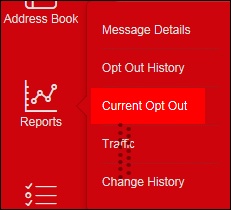
- From the left navigation menu hover over 'Reports' then clickCurrent Opt Out.To view the navigation menu, click the red tab
.
- Review the current opt out report.