Manage Survey - Enterprise Messaging (EMAG)
Here's how to manage and view a survey on Enterprise Messaging.
- Sign in to Enterprise Messaging.
- From the left navigation menu hover over 'Surveys' then clickManage.To view the navigation menu, click thered tab
.
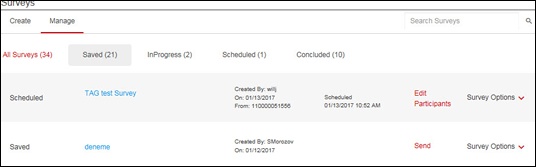
- Click the appropriate tab:
- All Surveys
- Saved
- InProgress
- Scheduled
- Concluded
- Click the appropriate survey to make changes then click 'Save for Later' or 'Save and Continue'.
- The following options are available in the survey menu option (located on the right):
- Edit Participants
- View Participants
- Edit
- Delete
- Use as Template
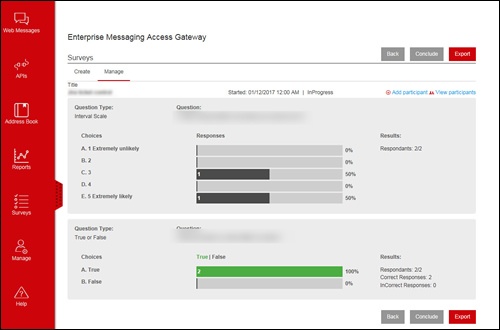
View Survey Results (In Progress or Concluded)
- Sign in to Enterprise Messaging.
- From the left navigation menu hover over 'Surveys' then clickManage.To view the navigation menu, click thered tab.
- From the Mange screen click the InProgress or Concluded tab.
- ClickResults.
- View the results as various graphs and charts.Survey results can be exported into an excel file.