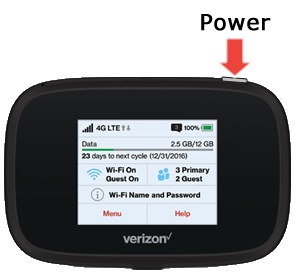
Verizon Jetpack® MiFi® 7730L - Soft Reset
Here's how to perform a soft rest on your MiFi 7730L if it crashes, freezes or runs slow.
If you can't browse the internet or your device crashes, resets, freezes or runs slow, view this info.
A soft reset (powering the device off then back on) is similar to restarting a desktop computer and is one of the first steps in troubleshooting a device. In most cases, a soft reset won't affect data on the device, unless the battery is very low.
- Power the device off.Press and hold thePower buttonuntil "MiFi Powering Off" appears on the display then release.If unable to power the device off, remove then re-insert the battery.
- Power the device on.Press and hold thePower buttonuntil "MiFi" appears on the display then release.