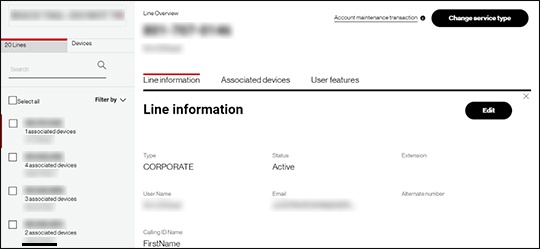
One Talk Portal View Lines & Devices Summary
One Talk Portal
View Lines & Devices SummaryThe summary helps administrators maintain clear oversight of all mobile and desktop assets within the One Talk ecosystem, including current statuses and pertinent line data.
Steps
- Sign in to My Business.
- ClickManage Accountfrom the top navigation bar.
- From the Product Portals section, clickOne Talk.
- From the 'I want to' section, clickManage lines and devices.
- If necessary, select the desired group from the dropdown menu then click theDevices tab.
- Click the applicable phone number in the left column.
- View the data presented for the specified line.