Samsung Galaxy J3 V / J3 (2016) - Turn App Permissions On / Off
Here's how to turn app permissions On / Off on your Samsung Galaxy J3 V / J3 (2016).
- Downloaded designed for Android 6.0 (Marshmallow) and up only ask for permission the first time you use a feature rather than asking for permissions out of context.
- Turning off certain permissions may result in basic features no longer working as intended.
- Open theSettings app.
- Navigate: .
- Tap the appropriate app.
- If available, tapPermissions.
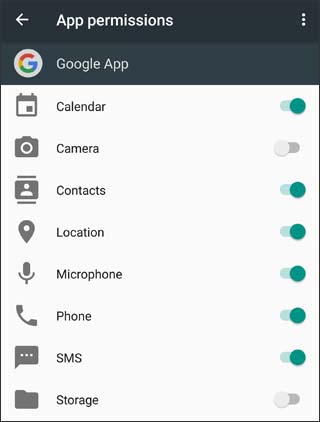
- Tap any of the available permissions (e.g., Camera, Contacts, Location, etc.) to turn on or off.If turning off a permission, from the 'If you deny this permission...' prompt, tap Cancel or tap Deny.The image below is an example.