Broadband Hotspot Management / Unified Endpoint Management - Events and Actions - Verizon MDM (BuSS)
Here's how to add events and actions for the Verizon MDM (BuSS).
- Verizon MDM content displayed and the ability to modify or update content may vary based on policy, role, or permissions.
- Due to a number of features that require HTML 5, Verizon MDM requires Internet Explorer version 10 and above to work efficiently.
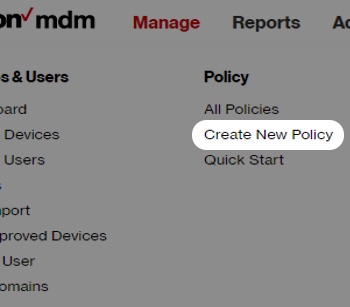
- From the Home screen, hover overManagethen clickCreate New Policyfrom the dropdown menu.
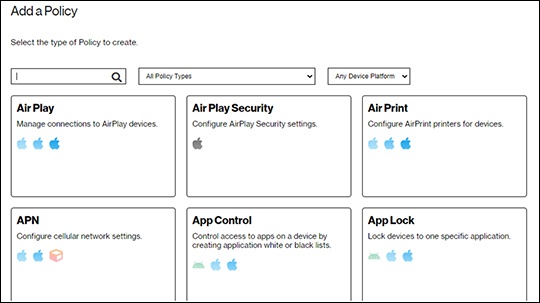
- From the 'Add a Policy' window, use the search and filter options or scroll through the list to find theEvents and Actions policy.
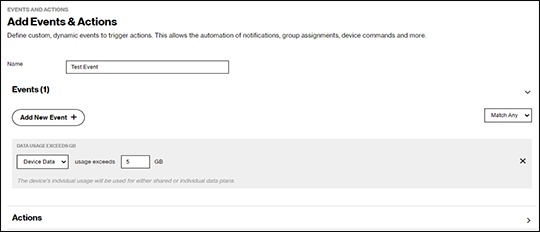
- Name your event then clickAdd New Event.
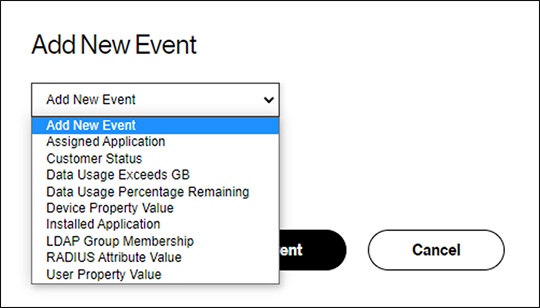
- From the 'Add New Event' window, select an event, click theAdd New Event button, then define all the necessary fields in the next window.
- Complete the applicable fields then click theSave icon
(upper-right).
- Assign the policy to any groups where the actions should be applied.